
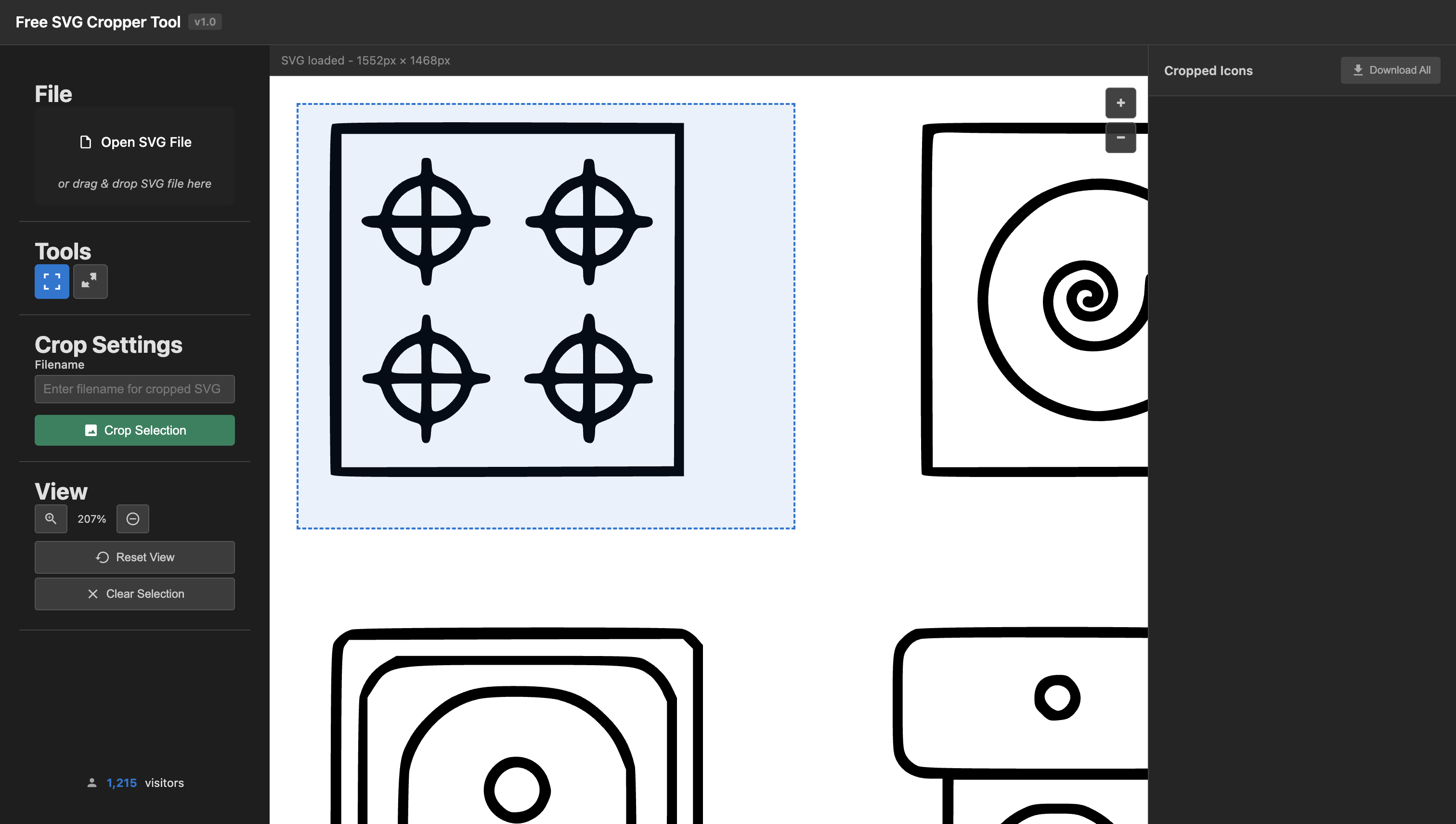
Free SVG Cropper Tool
2025 tools
A powerful, free web-based tool for cropping and extracting specific icons or areas from SVG files.
Free SVG Cropper Tool
A powerful, free web-based tool for cropping and extracting specific icons or areas from SVG files. Perfect for designers, developers, and anyone working with SVG graphics. No registration required, completely free to use!
Live Demo
Try it now: https://www.arnabdey.co/svg-cropper/
Why Choose this SVG Cropper?
- 100% Free - No hidden costs, no registration required
- Instant Results - Crop SVG files in seconds
- Pixel Perfect - Precise cropping with native SVG coordinate transformation
- Mobile Friendly - Works on all devices and screen sizes
- Privacy First - All processing happens in your browser
- Batch Download - Download multiple cropped files at once
- No Software Installation - Works directly in your web browser
Features
- Visual SVG Cropping: Interactive selection tool to crop specific areas
- Custom Filenames: Specify custom names for each cropped SVG
- Zoom & Pan: Zoom in for precise selection and pan around large SVGs
- Batch Download: Download all cropped icons as a ZIP file
- Drag & Drop: Easy file upload with drag and drop support
- Responsive Design: Works on desktop and mobile devices
- Error Handling: Robust error handling with user-friendly messages
- Visitor Counter: Track usage with an animated visitor counter
How to Use
- Upload SVG: Click “Choose SVG File” and select your multi-icon SVG file
- Navigate: Use zoom controls (+/-) and spacebar + drag to navigate
- Select Area: Click and drag to select the icon or area you want to crop
- Name It: Enter a custom filename (optional) in the input field
- Crop: Click “Crop Selected Area” to extract the selection
- Download: Download individual SVGs or use “Download All as ZIP”
Controls
- Zoom: Use + and - buttons to zoom in/out
- Pan: Hold spacebar and drag to move around the SVG
- Select: Click and drag (without spacebar) to select areas
- Reset: Click “Reset Zoom” to return to original view
Technical Details
- Pure JavaScript: No frameworks required
- Client-Side: All processing happens in your browser
- Modern Web APIs: Uses FileReader, Canvas, and Blob APIs
- ZIP Support: Dynamic loading of JSZip library for batch downloads
- Local Storage: Visitor counter persisted locally
Browser Support
- Chrome 60+
- Firefox 55+
- Safari 12+
- Edge 79+
Built With
- HTML5
- CSS3 (with modern features like Grid and Flexbox)
- Vanilla JavaScript (ES6+)
- JSZip (for ZIP file creation)
Links
- Live Demo: SVG Cropper Tool
- Source Code: Available on request
This project demonstrates expertise in modern web development, client-side processing, and user experience design. Built with performance and privacy in mind, showcasing advanced JavaScript skills and modern web APIs.